Intermittent warnings are the ones maintenance teams dislike most. A steady alarm points somewhere. An alarm that comes and goes looks like a sensor fault and invites people to ignore it.
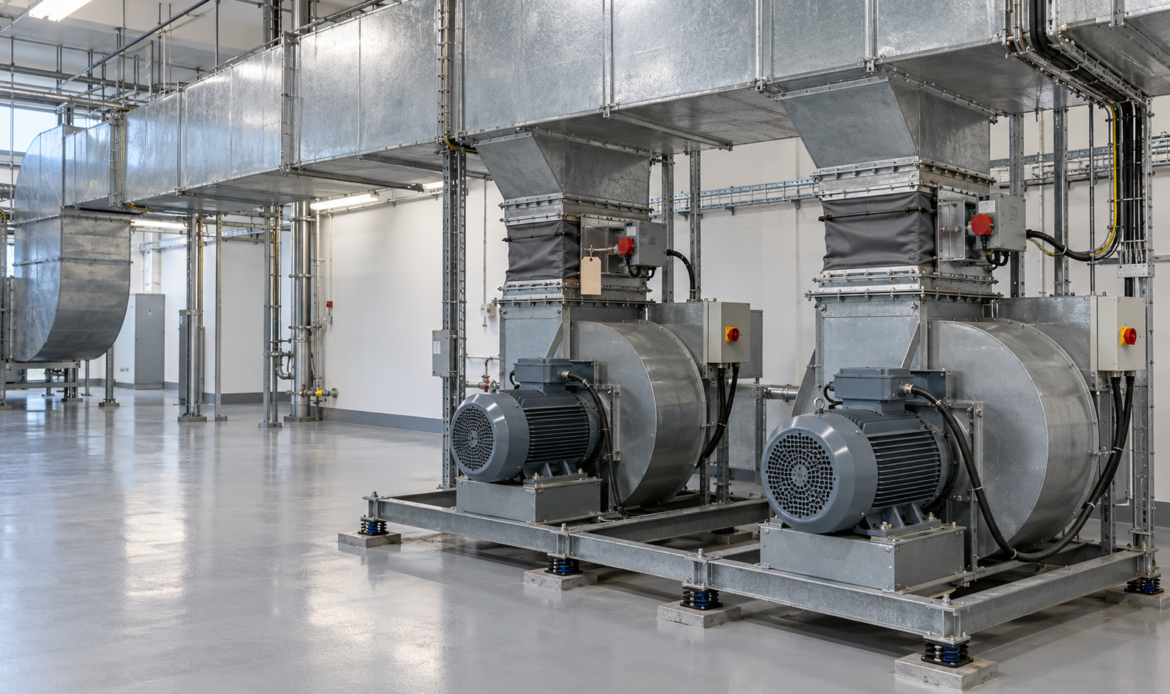
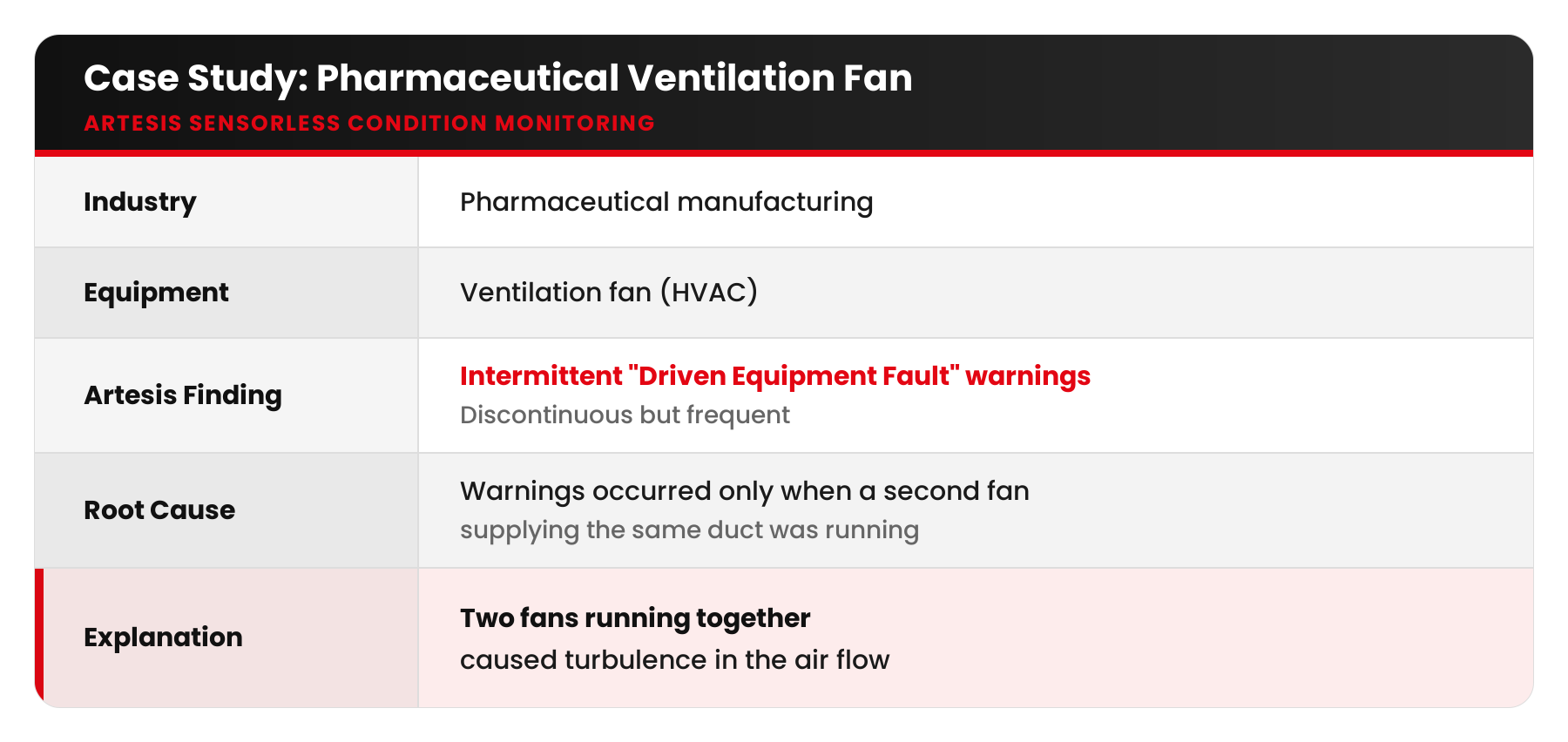
At a pharmaceutical manufacturer, an MCM unit monitoring a ventilation fan was producing exactly that kind of warning: discontinuous but frequent “Driven Equipment Fault” indications. Days would go by with nothing, then the warnings would return.
Finding the pattern
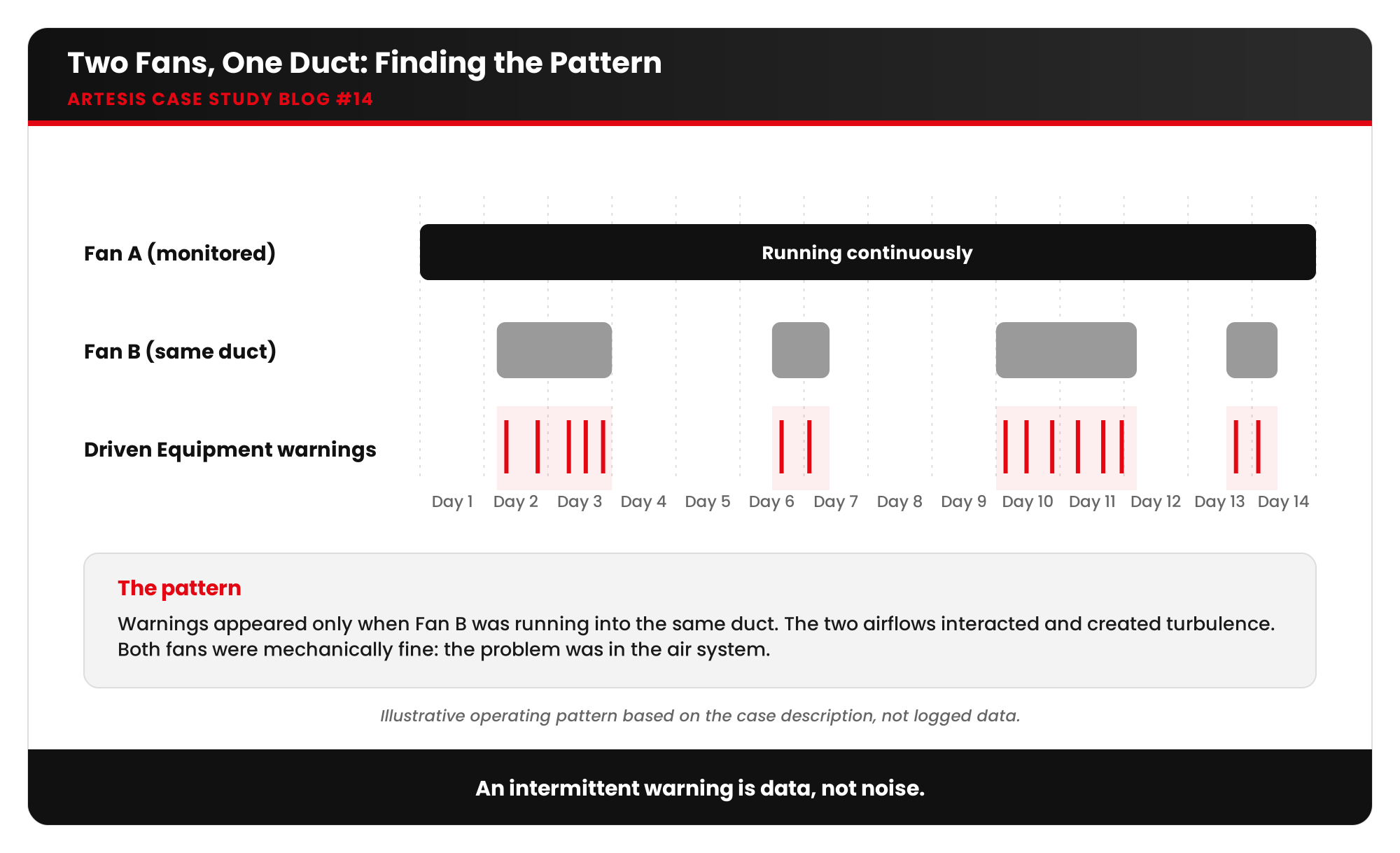
The reliability engineer took the warnings seriously and put the alarm timestamps next to the plant’s operating logs. The pattern appeared quickly. The warnings came only when the monitored fan was running together with the other fan feeding the same ventilation duct.
When both fans ran, their airflows interacted in the shared duct and created turbulence. The monitored fan saw an unsteady, fluctuating load, which MCM correctly reported as a driven-equipment problem. When the second fan stopped, the flow settled and the warning disappeared.
The fans were mechanically fine. The problem was in the air system. This is exactly the kind of fault that a spot vibration check, taken when only one fan happens to be running, would miss completely.
What air flow disturbance is
Air flow disturbance is any condition that makes airflow through a fan unsteady or non-uniform:
- Fan interaction: parallel fans in a common duct or plenum, especially with mismatched speeds or dampers
- Poor inlet conditions: elbows or obstructions right at the fan inlet, causing swirl
- Stall and surge: operating a fan at too low a flow for its design
- Damper and VAV control: hunting or rapidly changing damper positions
- Blocked filters, dirty coils or closed fire dampers changing system resistance
- Leaks or disconnected ductwork
What it leads to
- Fluctuating loads on blades, bearings and belts, causing fatigue and wear
- Noise and vibration in occupied or clean areas
- Energy waste: fans working against each other or in stall
- Unstable room pressures, a serious issue in pharmaceutical cleanrooms where pressure cascades protect product quality
- Reduced ventilation effectiveness
Correlations to check
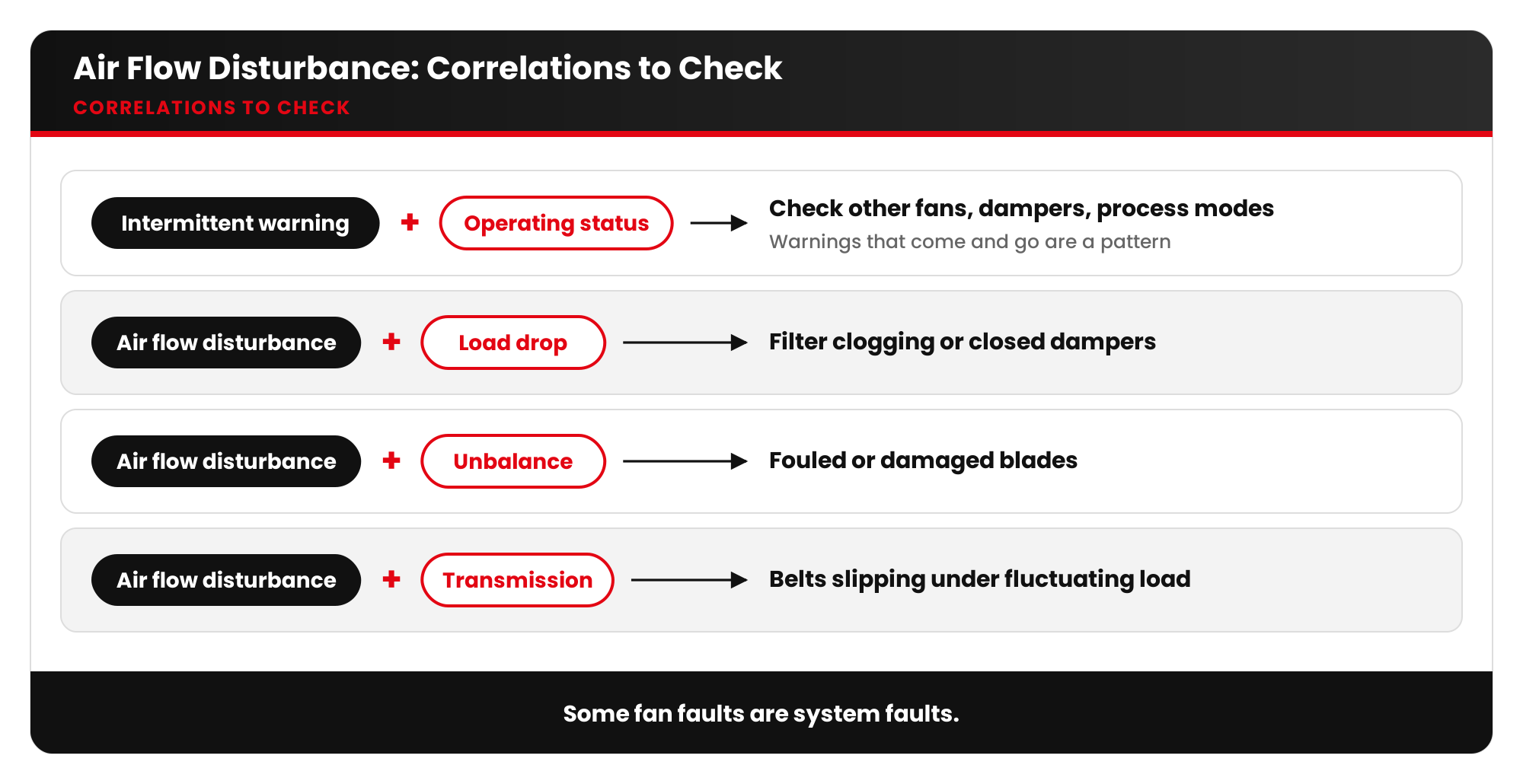
- Driven equipment warnings that come and go: correlate with the operating status of other fans, dampers and process modes.
- Air flow disturbance + load drop: filter clogging or closed dampers.
- Air flow disturbance + unbalance: fouled or damaged blades.
- Air flow disturbance + transmission: belts slipping under fluctuating load.
Checklist for HVAC and maintenance teams
- Put the alarm timestamps next to the BMS and operating logs. Look for which other equipment is running.
- Check damper positions and control sequences for parallel fans.
- Balance parallel fans (speed, pitch, damper) so they share the load evenly.
- Inspect inlet conditions for swirl-causing obstructions.
- Check filters and coils, since resistance changes shift the operating point.
- After changes, confirm with the trend that the intermittent warnings have stopped.
Key takeaways
- An intermittent warning is data, not noise. Look for the pattern.
- Some “fan faults” are system faults, and the fix may be in the control sequence, not the fan.
- Continuous monitoring catches problems that only occur in certain operating combinations.
Want to understand how your HVAC fans behave across all operating modes? Ask Artesis about continuous e-MCM monitoring.


 White Papers
 Case Study
 Documents
 Webinars
 Events
 ROI Calculator
 FAQ
FAQ