Artesis OmniSight · Plant-wide condition monitoring

Plant-wide monitoring. Asset-level answers.

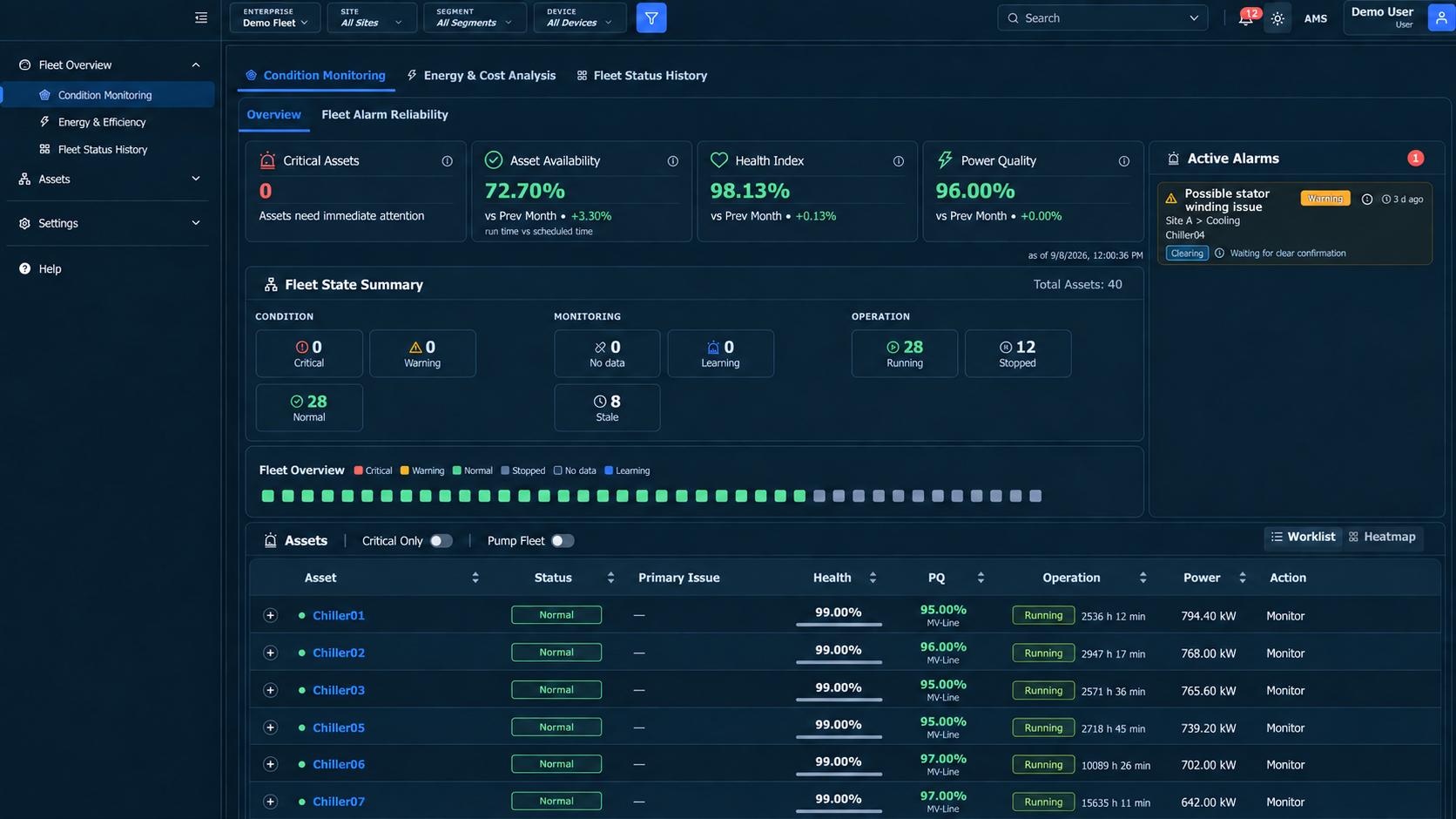
See the condition of your monitored fleet. Open the asset that needs attention. Examine its electrical, mechanical and operating performance. Generate an AI-powered report with Artesis Insight™ to guide the next step.

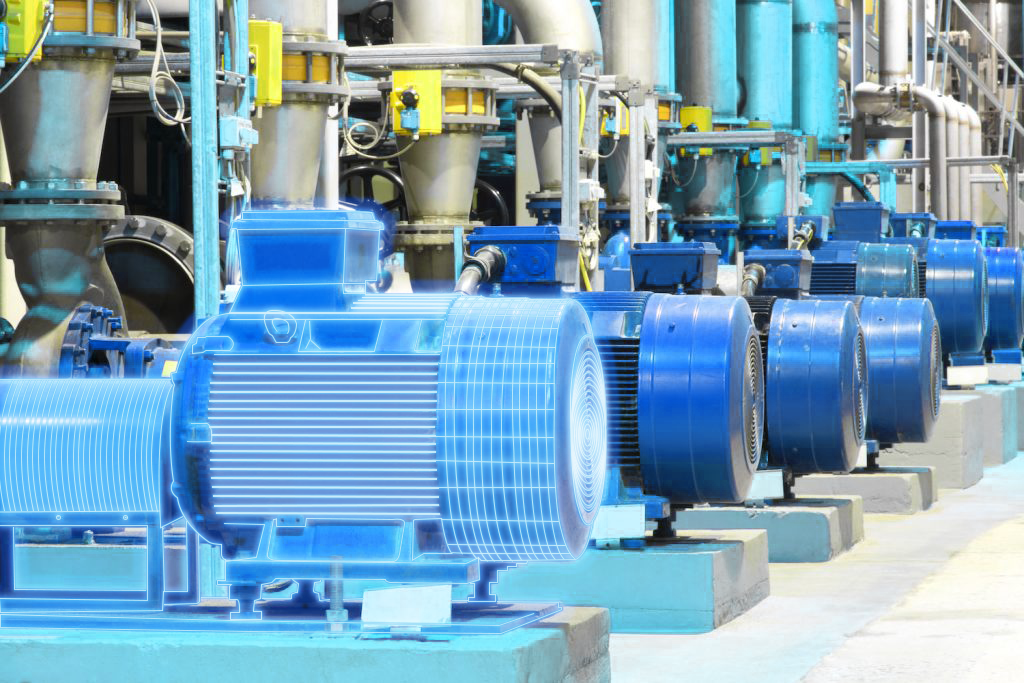
Monitor stator winding health continuously, while the motor runs.
Measured at the electrical cabinet.
omni hero
Artesis Insight™ · On-demand generative AI reporting

An AI Assessment of Your Asset, On Demand.

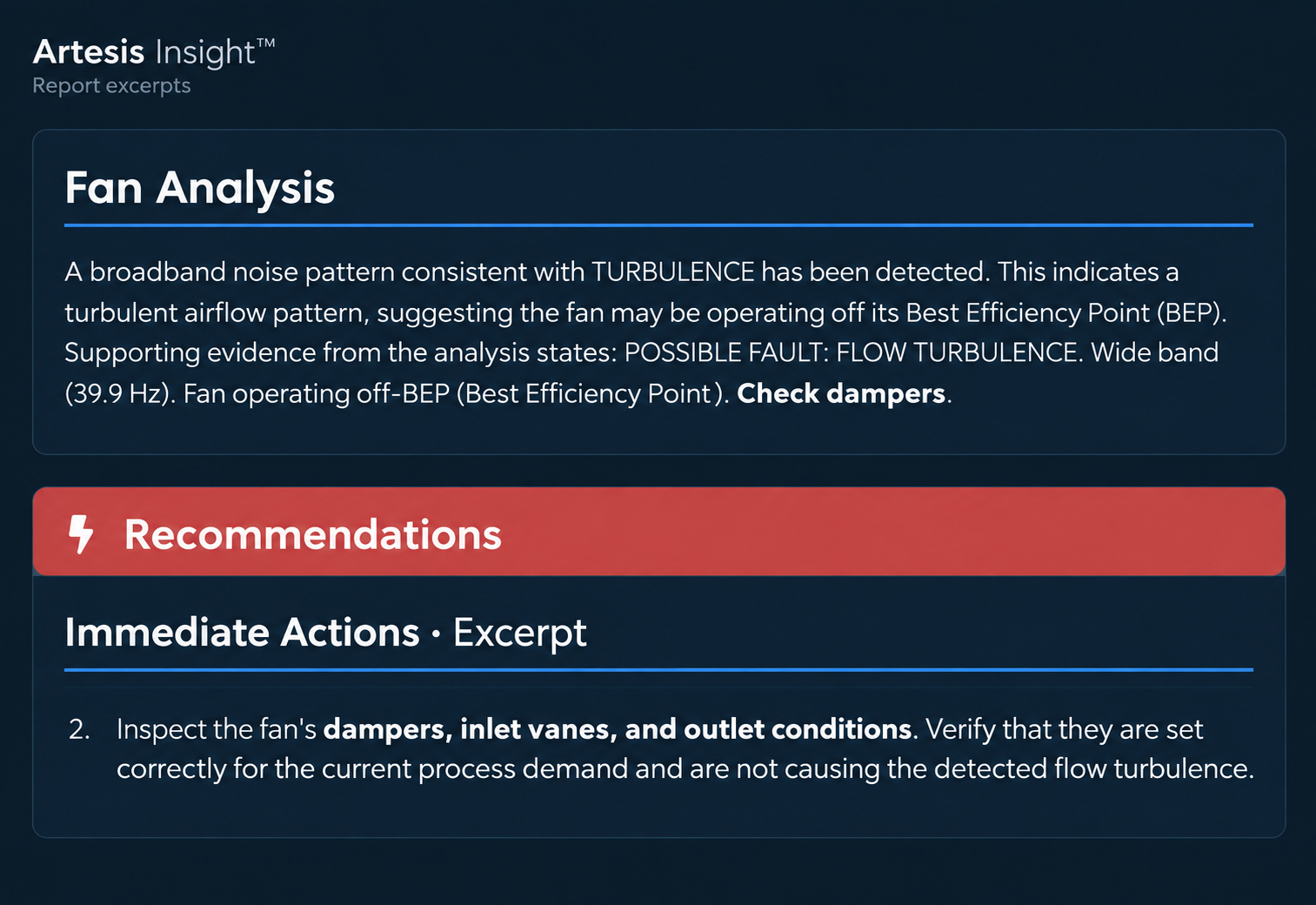
Open an asset and generate a report explaining the finding, the evidence behind it and the recommended next steps.

They Knew the Fan Was Vibrating.
Artesis Helped Explain Why.

The maintenance team had already investigated the fan using motion amplification, vibration analysis and MCSA. Artesis Insight™ identified a flow-turbulence pattern and recommended checking the dampers.

The team confirmed the dampers as the root cause.

insight
Fleet overview

See the Plant. Find the Asset That Needs Attention.

Review condition across your monitored fleet, filter by site or asset group, then open the machine behind an alarm.

01 · SEE THE FLEET

Where Are the Problems?

See critical assets, active alarms, running status and monitoring coverage together.

02 · NARROW THE VIEW

Which Equipment Needs Review?

Filter by site and asset group. Compare equipment status, health and power quality in the asset list.

03 · OPEN THE ASSET

What Is Behind the Finding?

Go directly to the machine's electrical analysis, spectra and operating trends to investigate.

Cost Analysis

See What You Could Save. Know Where It Comes From.

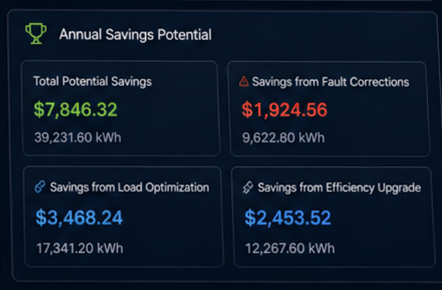
Compare potential savings in kWh and your selected currency, using measured motor operation, equipment data and electricity tariffs.

01 · FAULT CORRECTION

Correct the Fault

Estimate excess energy associated with identified faults and the potential saving from repair.

02 · LOAD OPTIMIZATION

Match the Motor to Its Duty

Use the measured load profile to assess oversizing and compare a better-sized motor.

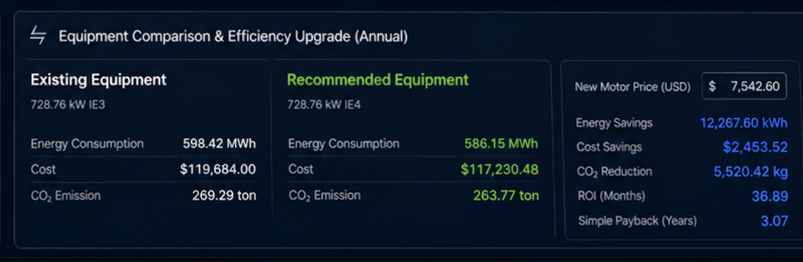
03 · EFFICIENCY UPGRADE

Invest in a Better Motor

Compare higher-efficiency alternatives, including IE3 and IE4, against the motor's actual operating profile.

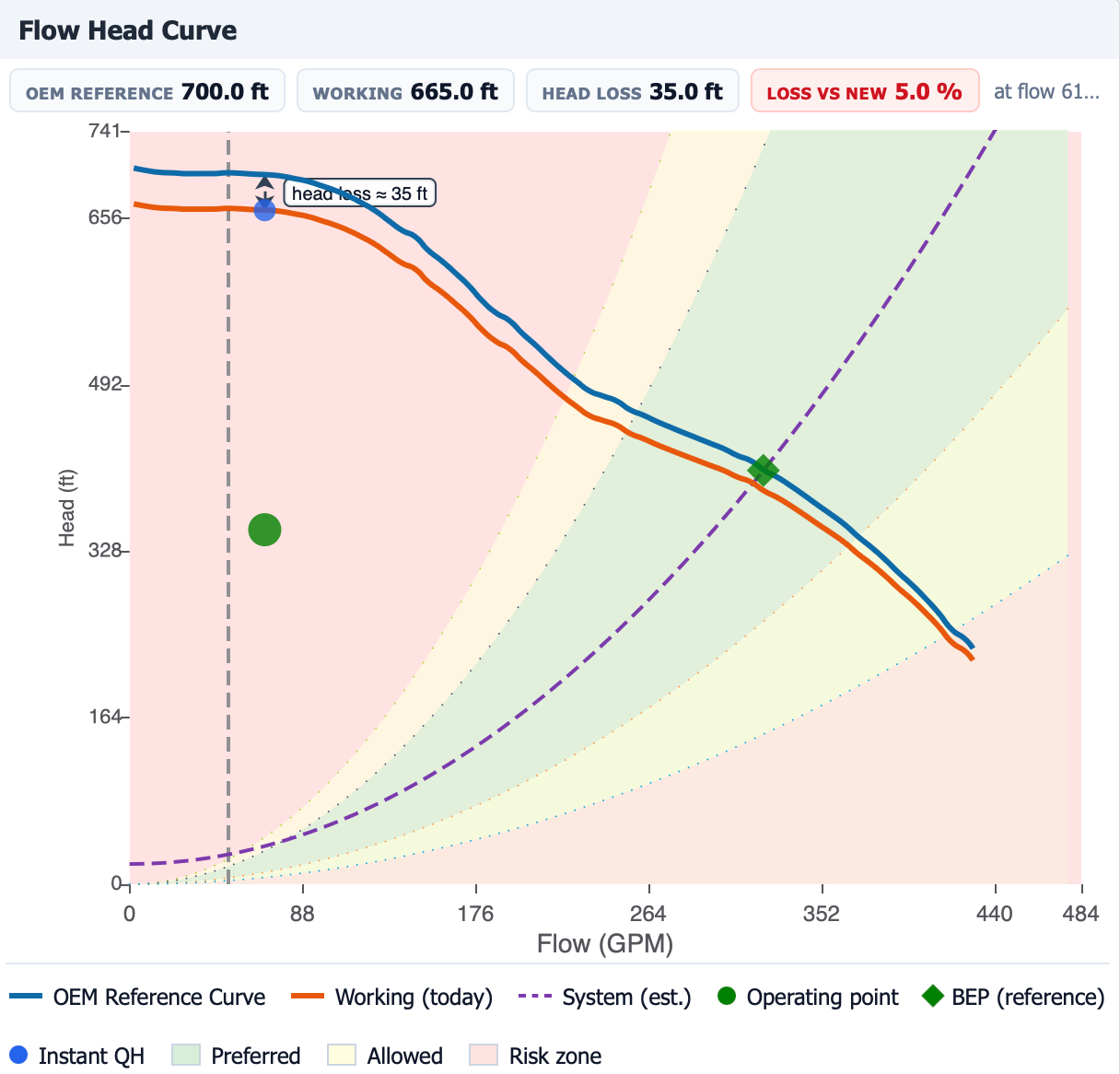
04 · FOR PUMPS

Optimize Hydraulic Performance

Compare speed changes, impeller trimming or pump replacement against the required flow and head.

Explore pump analysis

Saving by Action

cost analysis 1

Upgrade Cost and Payback

cost analysis Kopya
From the fleet opportunity to the individual investment case.

Review projected annual savings, enter implementation costs and compare estimated payback with your investment target. Loading, operating time, efficiency and your tariff support the calculation.

Savings are estimates by action. Overlapping options are evaluated as alternatives.

Reliability workspace

Follow the Alarm Through to a Verified Outcome.

Assign the work, review what changed after the intervention and record supported value in one shared history.

01

Finding

Review the issue and its evidence.

02

Investigation

Bring related findings and recommendations into one case.

03

Action

Assign ownership, dates and completion criteria. Record an external work-order reference.

04

Validation

Compare before and after an intervention, with operating conditions in view.

05

Value

Record supported outcomes and their verification status in the value ledger.

For example: Investigate a winding concern, record the inspection and repair, compare condition before and after, then document the verified outcome.
Explore further · Analysis by application

Open an Asset. Go Beyond Its Status.

Different machines call for different analysis. Explore the questions OmniSight helps your engineers investigate.

Electrical and mechanical condition

A Supply Problem, a Motor Fault or a Change in the Driven Load?

Examine phase balance, motor loading and winding or connection fault patterns alongside electrical-signature findings and trends.

Use the machine's learned electrical behavior and operating context to investigate the finding before deciding on an inspection or repair.

What your engineer can examine

Electrical condition
Voltage and current balance, loading, winding and connection indicators.
Fault evidence
Spectra and trends supporting electrical, mechanical and process-related findings.
Operating context
Changes in load and speed alongside the condition indicators.

Motors · Compressors · Fans · Conveyors · Mixers · Other supported motor-driven equipment

A monitoring solution for your operation

Choose Where It Runs. Plan How Your Fleet Is Covered.

Define the assets, monitoring approach and deployment around your site requirements. Establish the first group of assets, then extend the program across your operation.

Cloud

Access Across Your Operation

Choose a cloud deployment for teams reviewing equipment across locations.

On-Premises

Deploy Within Your Infrastructure

Choose an on-premises deployment where local hosting is part of your operational or IT requirements.

Continuous motor monitoring

e-MCM

Follow motor-driven equipment during operation through electrical measurements at the cabinet.

Continuous generator monitoring

e-PCM

Bring supported generator applications into your condition-monitoring program.

Portable testing

AMTPro

Extend coverage through scheduled testing. AMTPro Cloud currently operates separately.

Unified OmniSight view · Coming

See the Fleet. Open an Asset. Follow an Investigation.

Explore OmniSight with your equipment, deployment requirements and reliability workflow in mind.

Contact Info

58 Thomas St, New York, 10013 USA

+1 443 315 2056

enquiry@artesis.com

Sitemap
Please enable JavaScript in your browser to complete this form.