
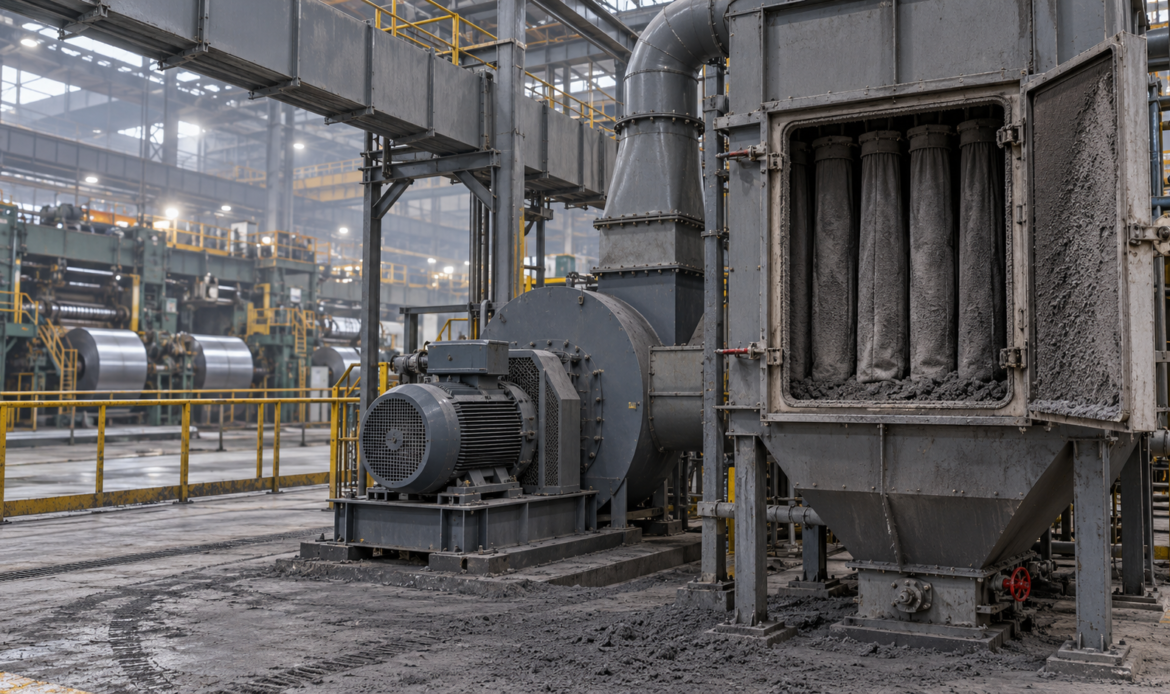
Nobody noticed when the air in the cold rolling mill got a little worse. Fouling is like that. There is no bang, no smoke and no trip. A filter loads up a little more each day, the fan pulls a little less air, and the plant slowly moves away from its design conditions.
At this iron and steel plant, a fume fan extracts dust-laden air from the reversing cold rolling mill and discharges it through a filter. The fan’s motor was monitored by Artesis MCM.
What the trend revealed
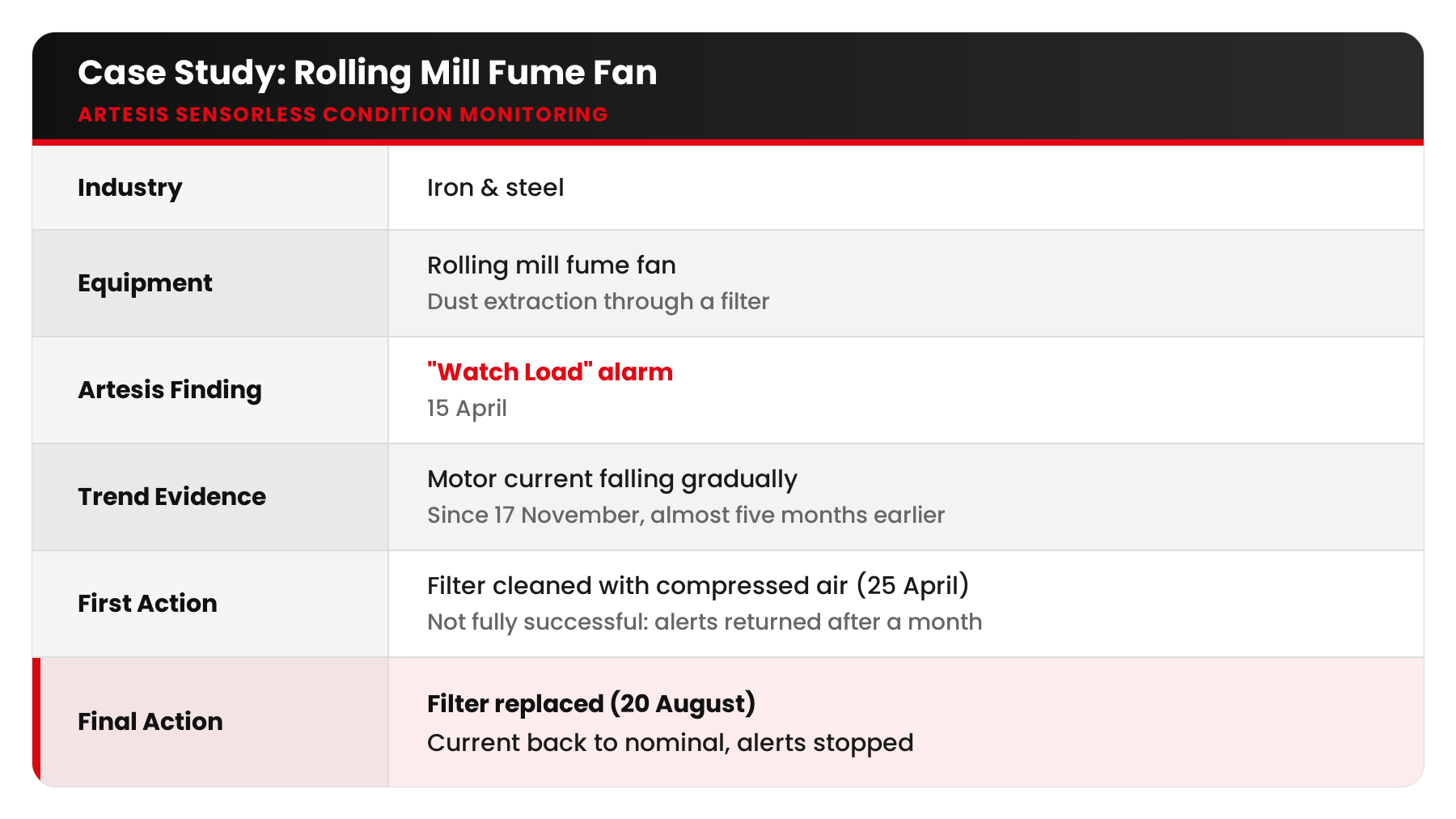
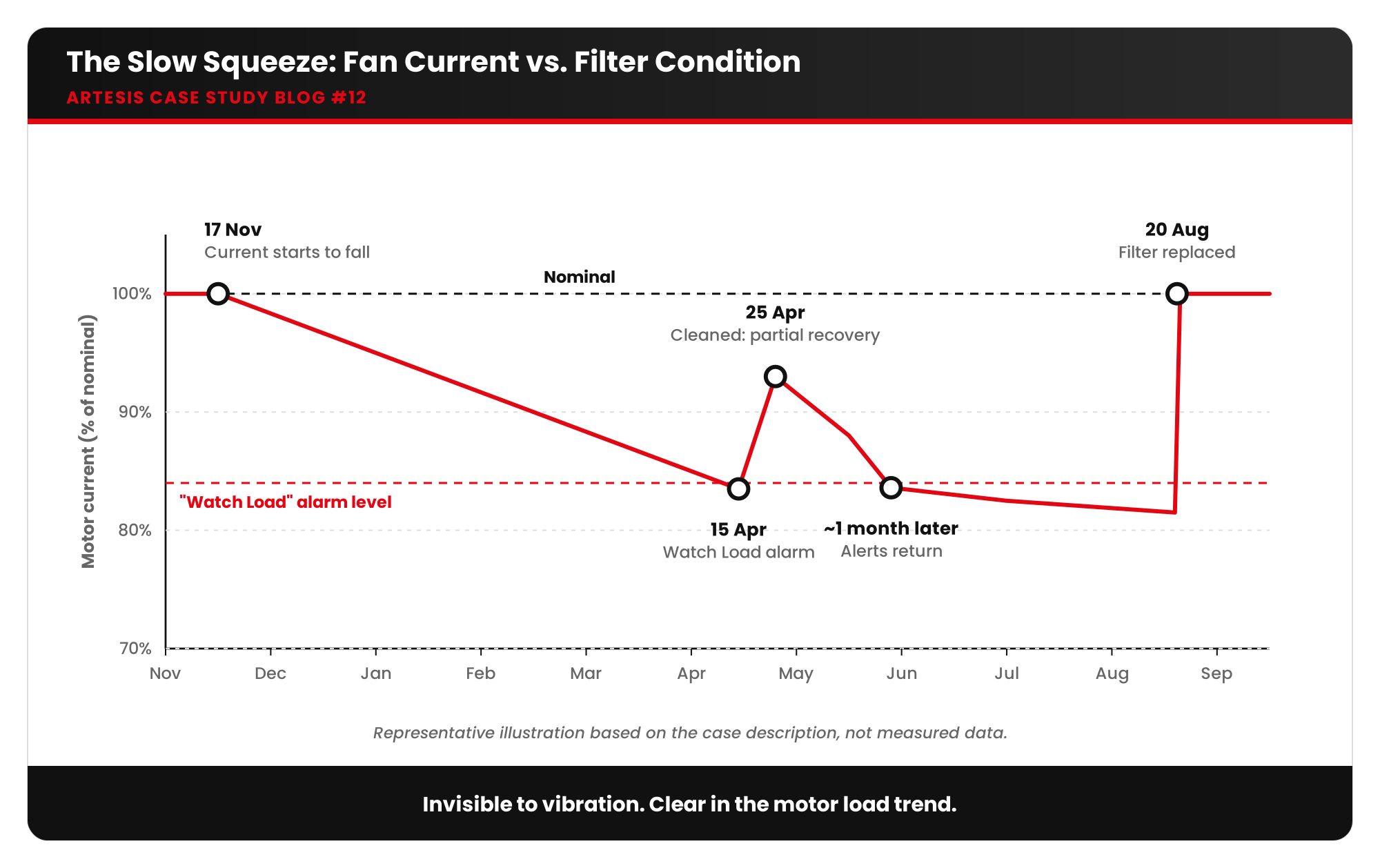
On 15 April, MCM raised a “Watch Load” alarm. The team looked back at the motor current trend and found that the current had been falling gradually since 17 November, almost five months earlier. That was when the filter began to block. It had deteriorated slowly until it crossed the alarm level.
Why would a clogged filter make the current fall? A centrifugal fan’s power demand depends on the airflow it moves. When the filter blocks, system resistance rises, airflow falls and the fan does less work. Lower current here did not mean energy savings. It meant the plant was not getting the ventilation it needed.
The first fix that didn’t work
On 25 April, the maintenance team cleaned the filter with compressed air. The current recovered a little, but after about one month, MCM was giving “Watch Load” alerts again. The cleaning had not removed the embedded dust.
On 20 August, the team replaced the filter. The motor current returned to its nominal value and the alerts stopped. As the case notes put it, this type of fault would not have been possible to detect with vibration analysis. The machine was mechanically healthy. It simply had less air to move.
What fouling is and where it happens
Fouling is the accumulation of unwanted material that restricts flow or heat transfer:
- Air filters: dust, fumes, fibres, oil mist
- Heat exchangers and coils: scale, biological growth, sludge, corrosion products
- Fan blades and ducts: product build-up, grease, dust
- Strainers and screens on pumps
In another Artesis case, a waste-to-energy plant’s ID fan fouled gradually between shutdowns, reducing efficiency. MCM identified the fouling by recognising the change in the fan’s load conditions.
What fouling leads to
- Loss of process performance: less airflow, less cooling, lower heat transfer
- Health, safety and quality risks, for example poor fume extraction or overheating products
- Energy waste: on pumps and positive displacement machines, power often rises; on centrifugal fans, the process simply loses capacity
- Unbalance when deposits build up unevenly on blades
- Overheating of motors and equipment that depend on cooling
Correlations to check
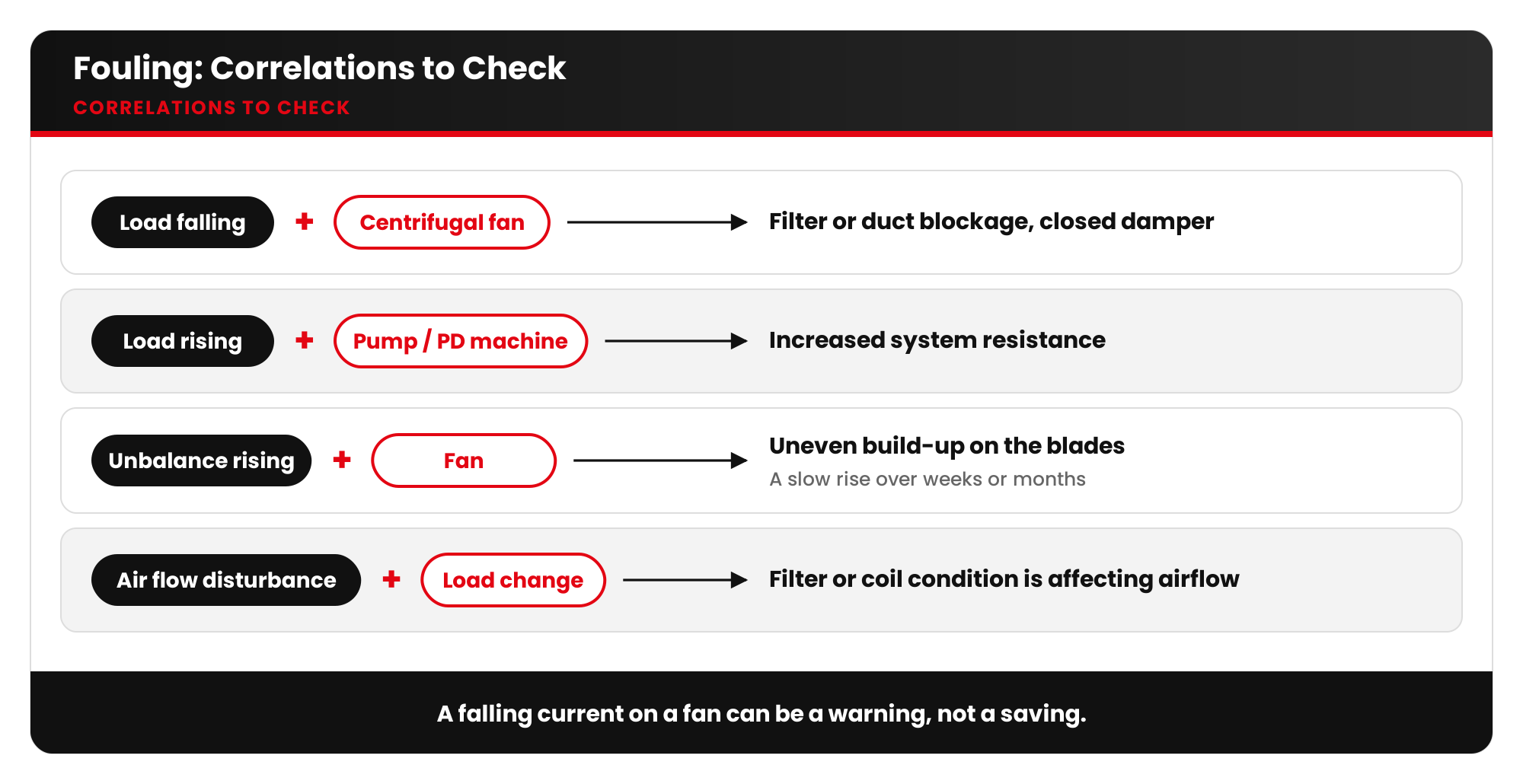
- Load / current falling on a centrifugal fan: filter or duct blockage, closed damper.
- Load rising on a pump or PD machine: increased system resistance.
- Unbalance rising slowly on a fan: uneven build-up on the blades.
- Air flow disturbance + load change: the filter or coil condition is affecting the airflow.
Checklist
- Trend motor current or active power for every filter-dependent fan.
- Combine with differential pressure across filters where available.
- After cleaning, check the trend recovers to the original baseline, not just partly.
- Replace filters when cleaning no longer restores performance.
- Plan filter and coil cleaning based on condition, not only on the calendar.
Key takeaways
- Fouling is slow, silent and invisible to vibration analysis, but it is clearly visible in motor load trends.
- A falling current on a fan can be a warning, not a saving.
- Trend data shows whether a maintenance action has really worked.
Want to monitor filters, coils and fans through the motor itself? Talk to Artesis about e-MCM.





 White Papers
 Case Study
 Documents
 Webinars
 Events
 ROI Calculator
 FAQ
FAQ